Your team
Adding people, choosing their role, resetting passwords, and disabling accounts.
Owners and administrators manage everyone's accounts, under Users in the admin. Managers and viewers do not see that link.
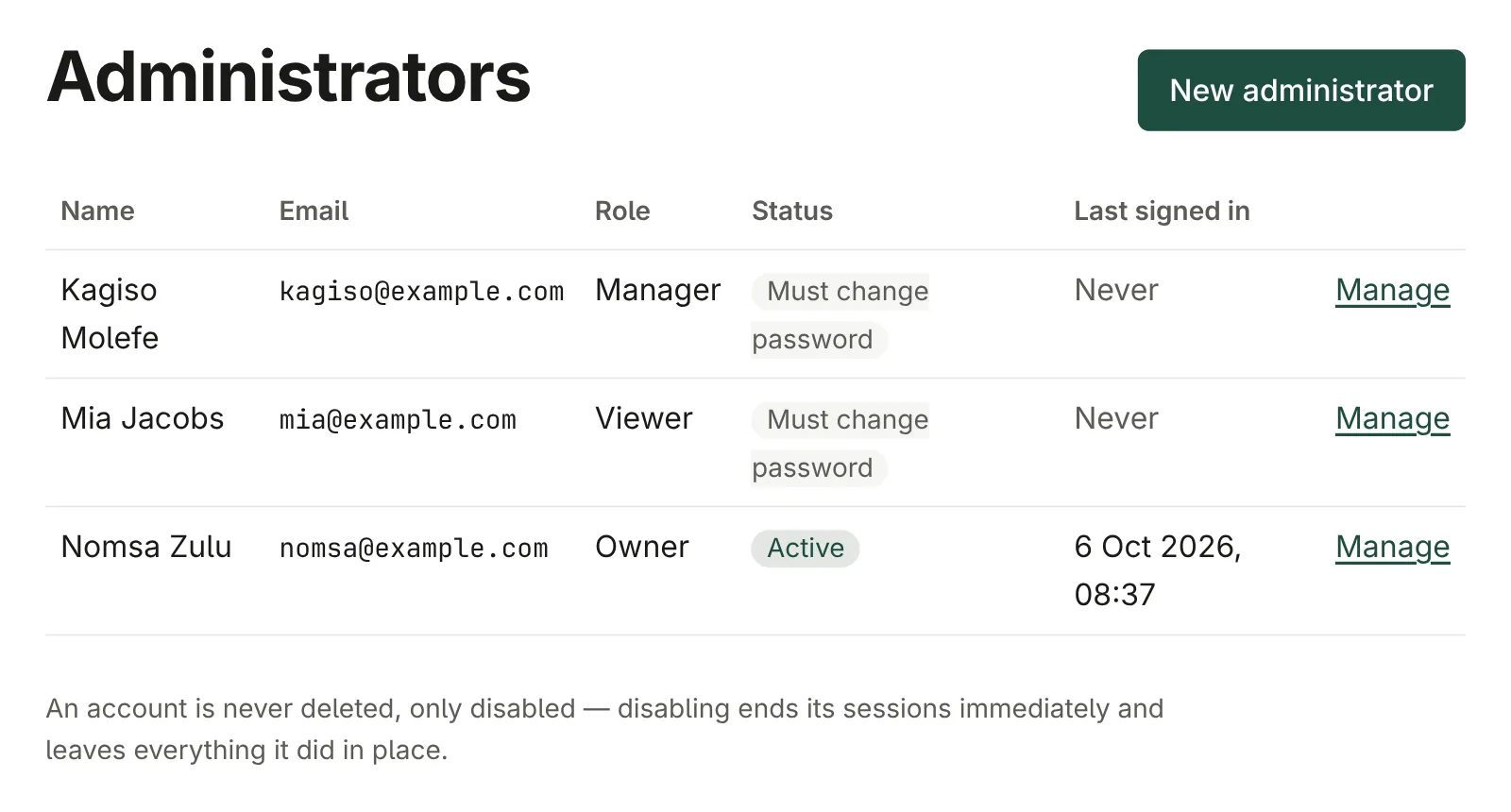
The Status column shows Active, Disabled, or Must change password for someone who has not yet replaced the starting password you gave them. Click Manage to open somebody's account.
Add someone
Go to Users and click New administrator.
Fill in their Email — what they sign in with — and their Name, which is shown in place of the address around the admin.
Choose their Role. Give each person the least that covers their job:
Role For Viewer Looking, never changing — a bookkeeper, say Manager Running the shop: products, categories, orders. The usual choice Administrator All of that, plus the team's accounts and API tokens Owner The same as administrator, and protected: the last owner can never be removed Choose a Starting password, at least 12 characters, and tell them it separately — not in the same message as their email address.
Click Create administrator.
The first time they sign in they must choose a password of their own, so the one you picked stops working the moment they have.
Change someone's role
Click Manage beside them under Users, choose the new Role, and click Change role. They are signed out, so the new role applies from their next sign-in.
Reset a password
When somebody has forgotten theirs: open their account, enter a new password twice under Reset password, and click Reset password. Everywhere they were signed in ends, and they choose their own again the next time they sign in.
Disable an account
When someone leaves, open their account and click Disable account. They are signed out at once, cannot sign in, and any API tokens they held stop working.
Accounts are disabled, never deleted, so the record of who did what stays intact — fulfilled orders keep saying who fulfilled them. Enable account lets them back in.
What you cannot do to yourself
On your own account, the role, disable and reset controls are missing on purpose: nobody can promote themselves, lock themselves out, or reset their own password without knowing the current one. Change your own password under Profile settings (see Signing in), and ask another owner or administrator for anything else.
The last owner cannot be disabled or moved to a lesser role, so the store can never end up with nobody able to manage it. Make a second person an owner first if one needs to step back.