AI assistants
Letting an assistant such as Claude manage products and orders for you.
You can connect an AI assistant — Claude, or any assistant that supports the Model Context Protocol — to your store, and ask it to do admin work in plain language:
- "Which orders are paid but not shipped yet?"
- "Add a Large variant to the blue mug at 149.99, with 10 in stock."
- "Mark order 3F2A shipped, tracking number TRK123."
- "Load these 40 books from this spreadsheet, with their cover images."
The assistant works as you: it can do exactly what your role can, and everything it changes goes through the same rules as the admin pages — a product that has been ordered still cannot be deleted, and nothing can mark an order paid.
Only owners and administrators can connect an assistant.
Connect one
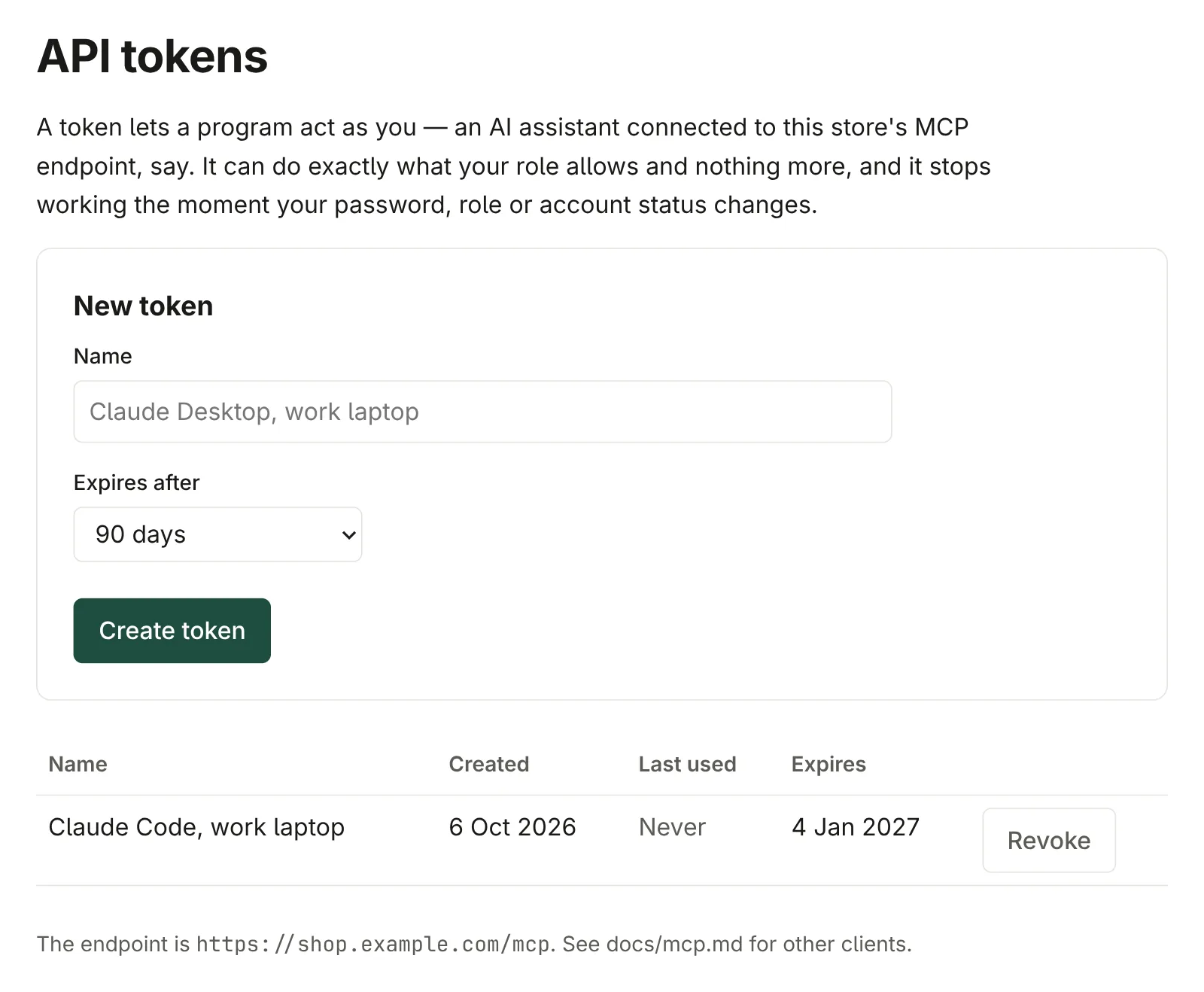
Make a token. Open the profile icon, then Profile settings. Under API tokens, give the token a Name that says where it will be used — "Claude Code, work laptop" — choose how long it lasts (30, 90 or 365 days), and click Create token.
Copy it straight away. It is shown once and never again. The page also shows a ready-made command for Claude Code, with your store's address and the token filled in:
claude mcp add --transport http gostore https://shop.example.com/mcp \
  --header "Authorization: Bearer gst_…"
Other assistants need three things, usually under "connectors" or "MCP servers" in their settings: the address
https://<your store>/mcp, the HTTP (or Streamable HTTP) transport, and a headerAuthorization: Bearerfollowed by your token.
Treat the token like your password: anybody holding it can change the store as you. Make one per assistant and per computer, so each can be withdrawn on its own.
What it can do
Read everything — products, categories, orders — and change what a manager can: create and edit products, variants and categories, set product images, mark orders fulfilled with a tracking reference, retry undelivered emails, and turn a buyer's download access off or on.
What it cannot do, on purpose: manage team accounts, change anything about a payment, or upload the files of a digital product — do those in the admin.
Images go through a short-lived upload link the assistant asks the store for, so it needs to be able to send a file over the internet — assistants that can run commands, such as Claude Code, can. Each link works once, for one product, for 15 minutes.
Withdrawing access
Under Profile settings → API tokens, every token is listed with when it was made, when it was last used and when it expires. Revoke stops it at once.
A token also stops working when it expires, and every token you hold stops at once when your password changes, your role changes, or your account is disabled.